Setting up your email
Notice
First of all your email account may have been set to the default password. If this is the case try 12345 for the password . If you are successful with the default password and want to change the passord to something else just click here
I f your account still doesn't work try checking the steps below.
Ok.. We have upgraded our email system . You may experience problems with e-mail so this is what you do to authenticate yourself in order to send mail. You must enable authentication for your outgoing ( smtp ) settings . For those users who already have accounts in outlook express setup please skip to Step 5.
So here we go......
For Outlook express
Step1.. Open Outlook Express.
Step 2. Go to tools and then accounts.
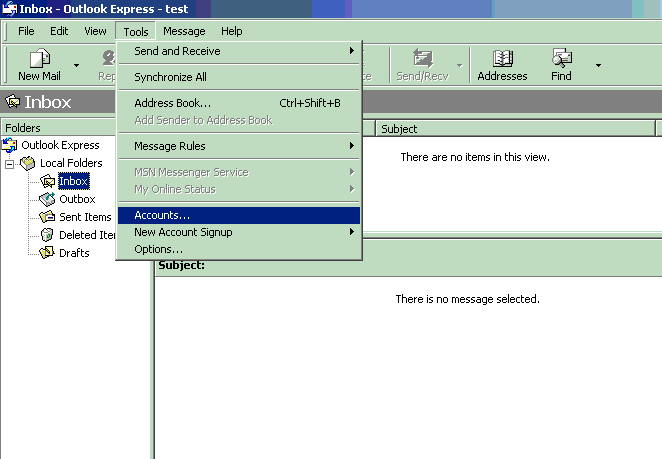
Step 3. Then click on Mail and Add.
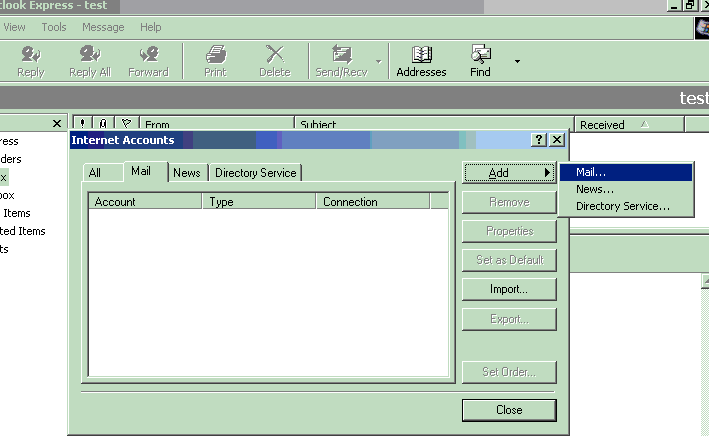
Step 4. Fill in the information asked. Please make sure that your incomming ( POP3) server name is mail.i35north.com and your Outgoing ( SMTP ) server name is smtp.safepages.com. When you get near the end you will be prompted for an Account Name : this is your whole email address.
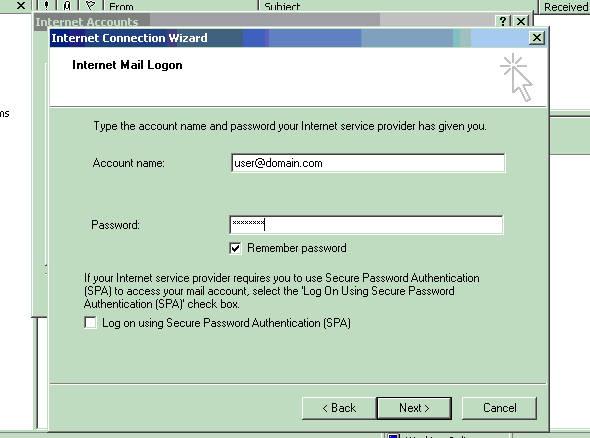
Make sure that you put in user@domain.com in the field and not just username. Once you are done then click next and finish.
Step 5. Go to tools and then accounts just as you did in Setup 2 then click on properties on the right hand side.
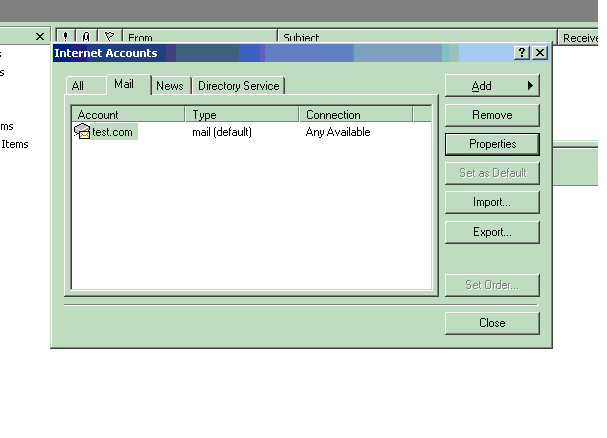
Once you have hit properties you will get a screen that looks like this.
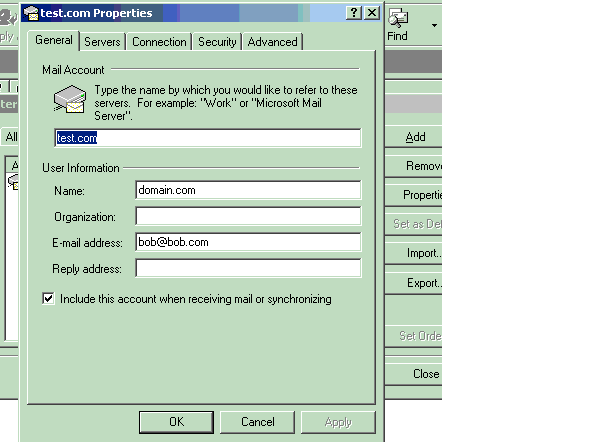
Click on the Servers Tab at the top and then you will be moved to a screen that looks like this :
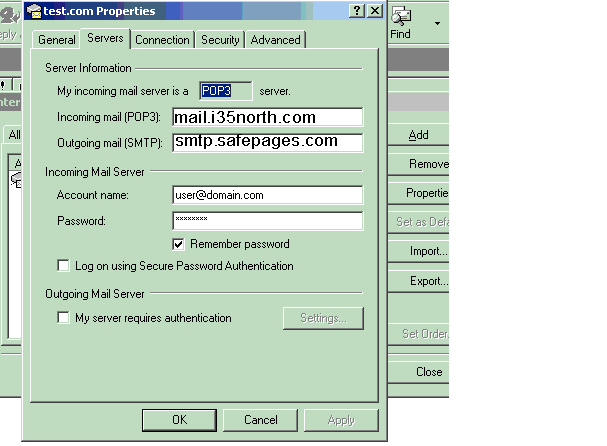
Make sure that the account name is the entire e-mail address and then DO NOT click on the " My server requires authentication " tab.
Once you do that Hit Apply and ok and then hit Close on the next screen.
Try to check mail and send. If you have any other questions please let us know.
Netscape
All you have to do in netscape is go to edit and preferences and then go to Mail & newsgroups , mail servers, and enter the following.

IMPORTANT: We have just found out that netscape has some serious issues. Ok if you get an error " Username/Password Missmatch " then all you have to do is click on edit under the mail server settings and place the % sign under the User Name.

Eudora !
Please go to tools and then options and replace the following data with your domain names info.IMPORTANT: If you are using a version later then 5.* it will not work. You must upgrade to Eudora V. 5.* in order for password authentication to function correctly.
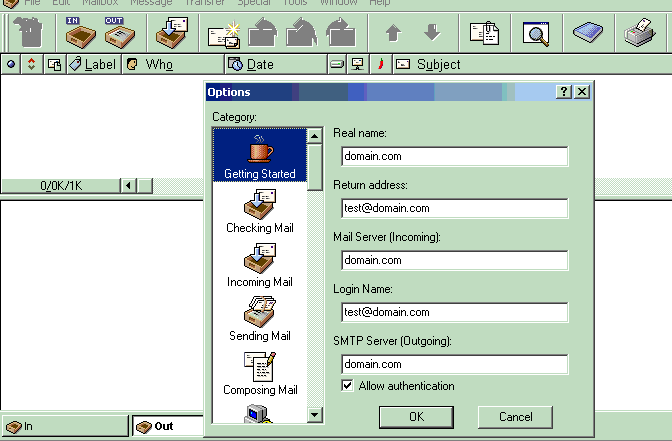
V 5.1
Right click on the account and go to properties and you should see an icon that looks like this :
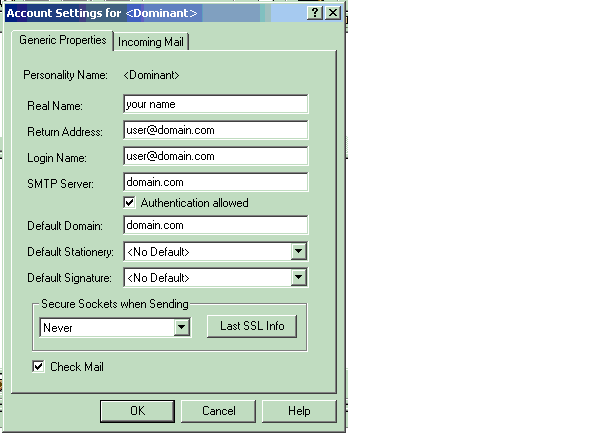
Please note that if you are using another program other then outlook express you will need to look in the properties of that program and look for the same tab that lets you select " My server requires Authentication " for the stmp section. That will allow you to send mail through your domain.